Creating a Drop
Drops let you sell or distribute NFTs in a controlled way — fixed price, limited supply, scheduled release.
1
Navigate to the Drops Launchpad Section
- Go to your Profile Page
- Open your Collection → Click Edit
- Click on the Drops Launchpad tab
2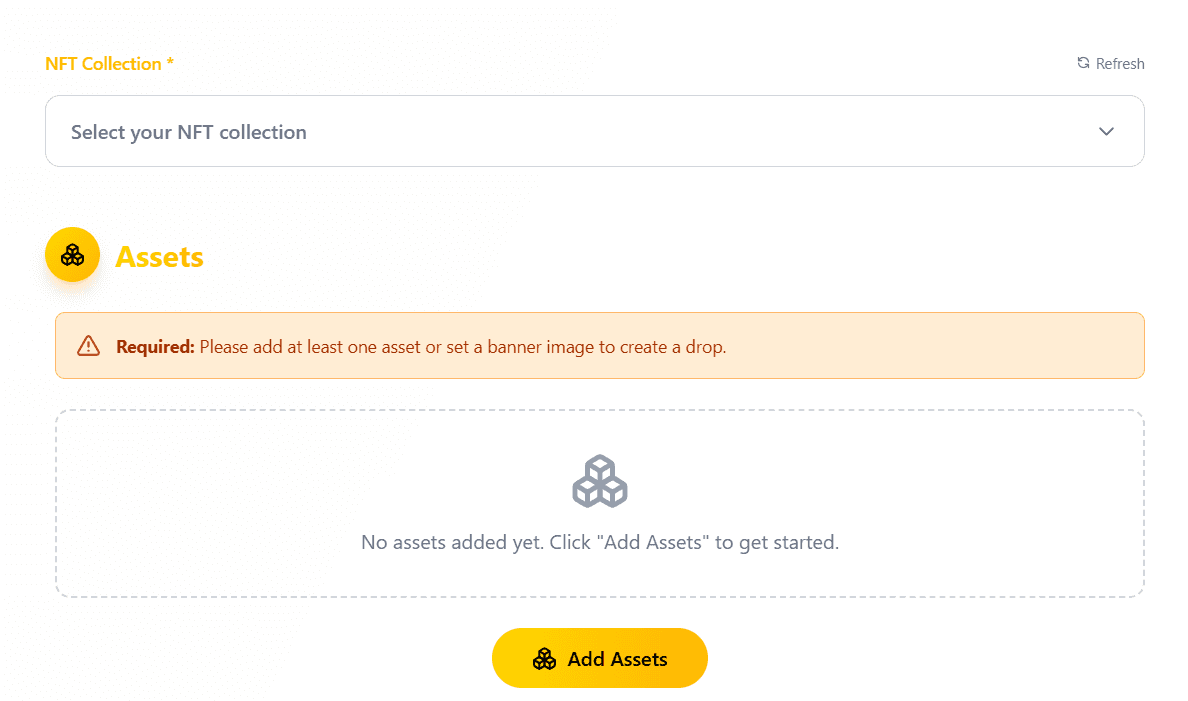
Create a New Drop
- Click Create Drop
- Select your NFT Collection
- Add your Assets (choose which templates to include)
Select collection and add NFTs to the drop
3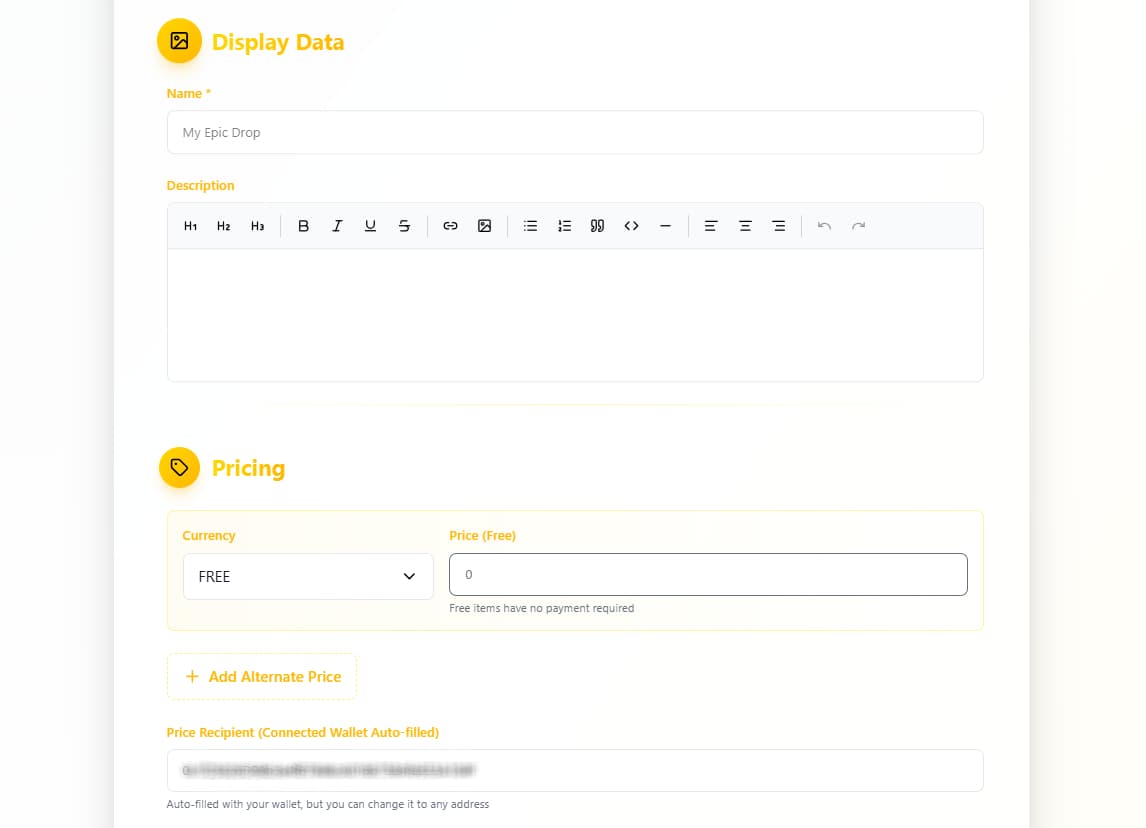
Fill in Display Details
Make your drop stand out and attract buyers:
- Display Name – e.g. “Minty Genesis Drop”
- Description – tell the story behind your drop
- Pricing – set a fixed price in BNB
Drop name, description, and pricing
4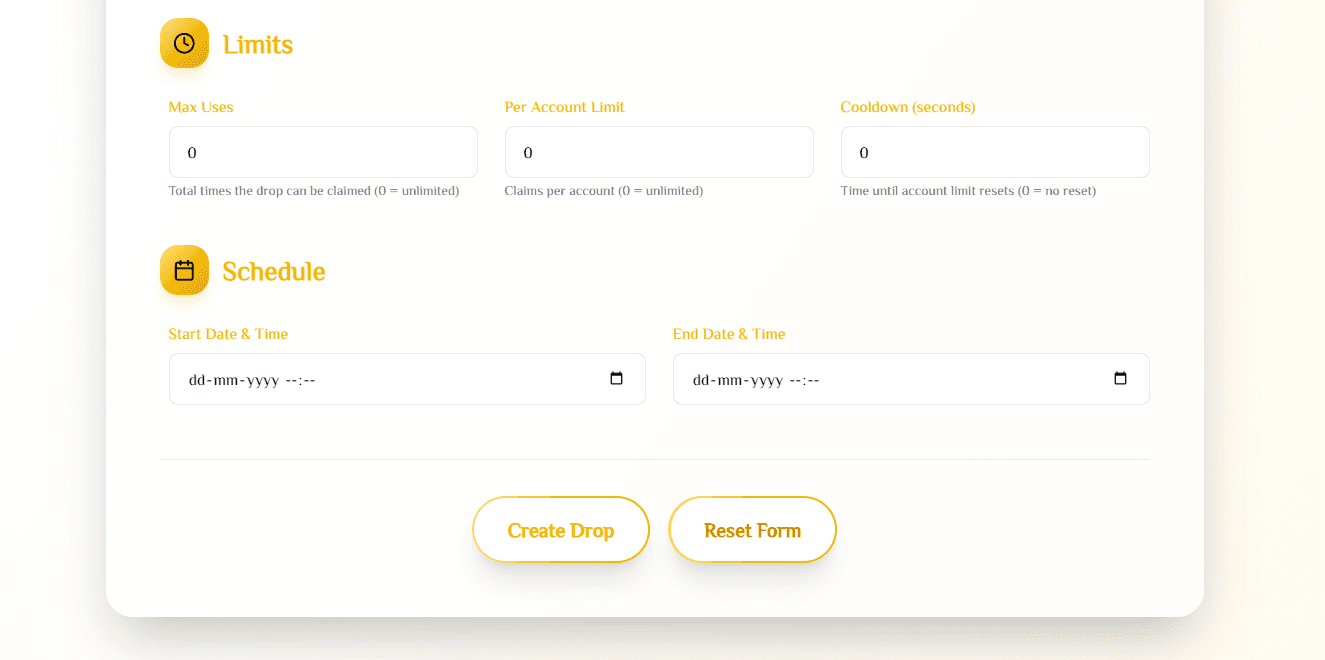
Configure Advanced Settings
Fine-tune your drop for maximum control:
- Limits – max per wallet, total supply
- Schedule – set start/end time
Advanced drop settings
5
Final Step: Launch Your Drop
- Double-check all settings
- Click “Create Drop”
- Confirm the transaction in MetaMask
Drop Created Successfully!
Your drop is now live under “All Drops” — you can edit or delete it anytime before minting begins.
Congratulations!
You've just launched a professional NFT Drop on BNB Chain!